
Download 3D Converter – video converter, 3D video converter, video editor, streaming downloader, disc ripper, media toolkit, multimedia utility
Overview
3D Converter is a productivity-focused mobile application designed to streamline multimedia management on Android devices. The app positions itself as a comprehensive media toolkit, offering users the ability to convert video formats, edit clips, download content from streaming platforms, and rip data or video discs. Its core purpose is to eliminate the need for multiple specialized tools by consolidating essential multimedia functions into a single interface. This makes it particularly useful for users who frequently handle video files across different devices or platforms.
Target users include content creators, media enthusiasts, and individuals managing personal video libraries. Whether preparing videos for playback on iPhones, gaming consoles, or portable devices, 3D Converter aims to simplify format compatibility challenges. The app also supports users seeking to archive or back up media through disc ripping, offering a utility for physical media preservation. Its ability to extract audio and trim video segments adds practical value for quick edits without requiring external software.
Although the developer did not provide additional technical details, the app’s long-standing presence since its release on April 16, 2011, suggests a level of reliability and user retention. The application remains available as a free download, which enhances its accessibility. In the broader app ecosystem, 3D Converter occupies a niche as a legacy utility that continues to serve users seeking a lightweight, all-in-one solution for basic video processing and media handling.
Key Features & Functionality
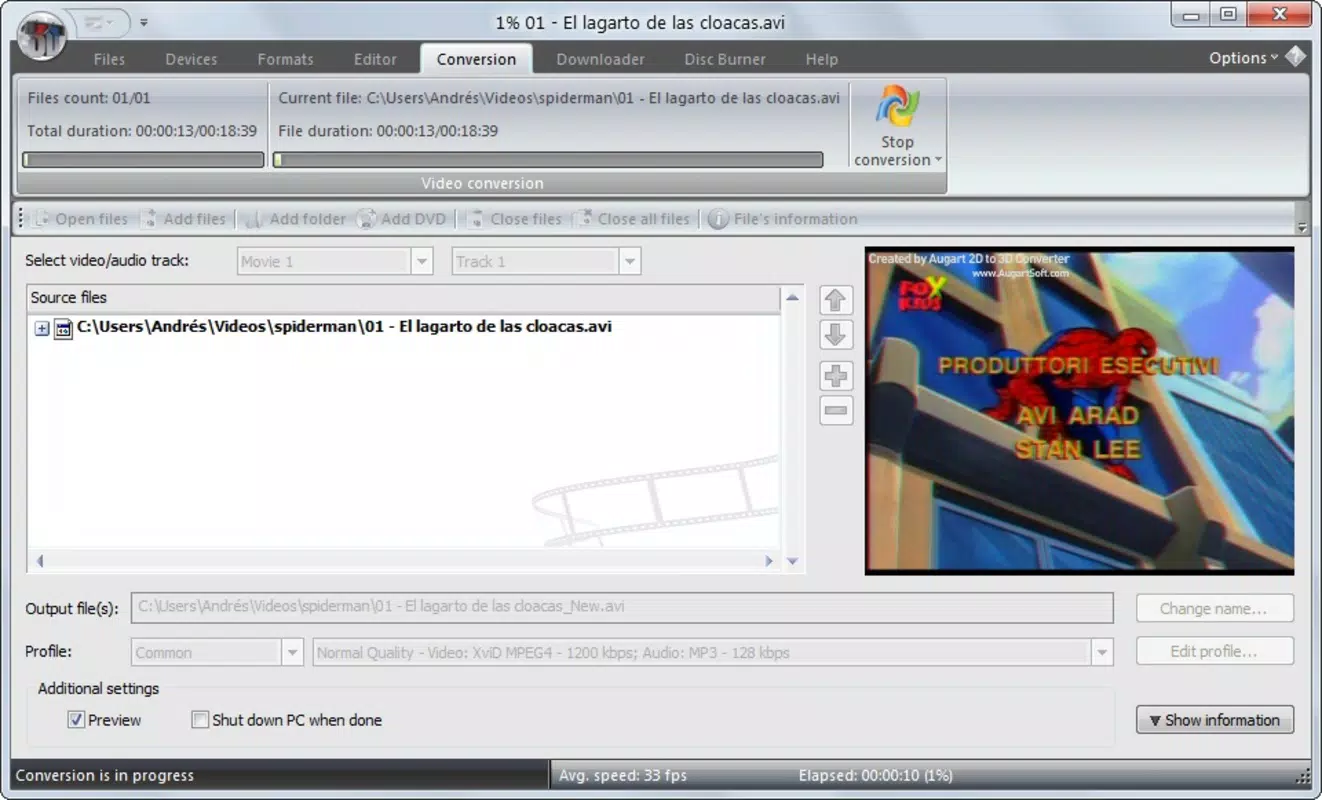
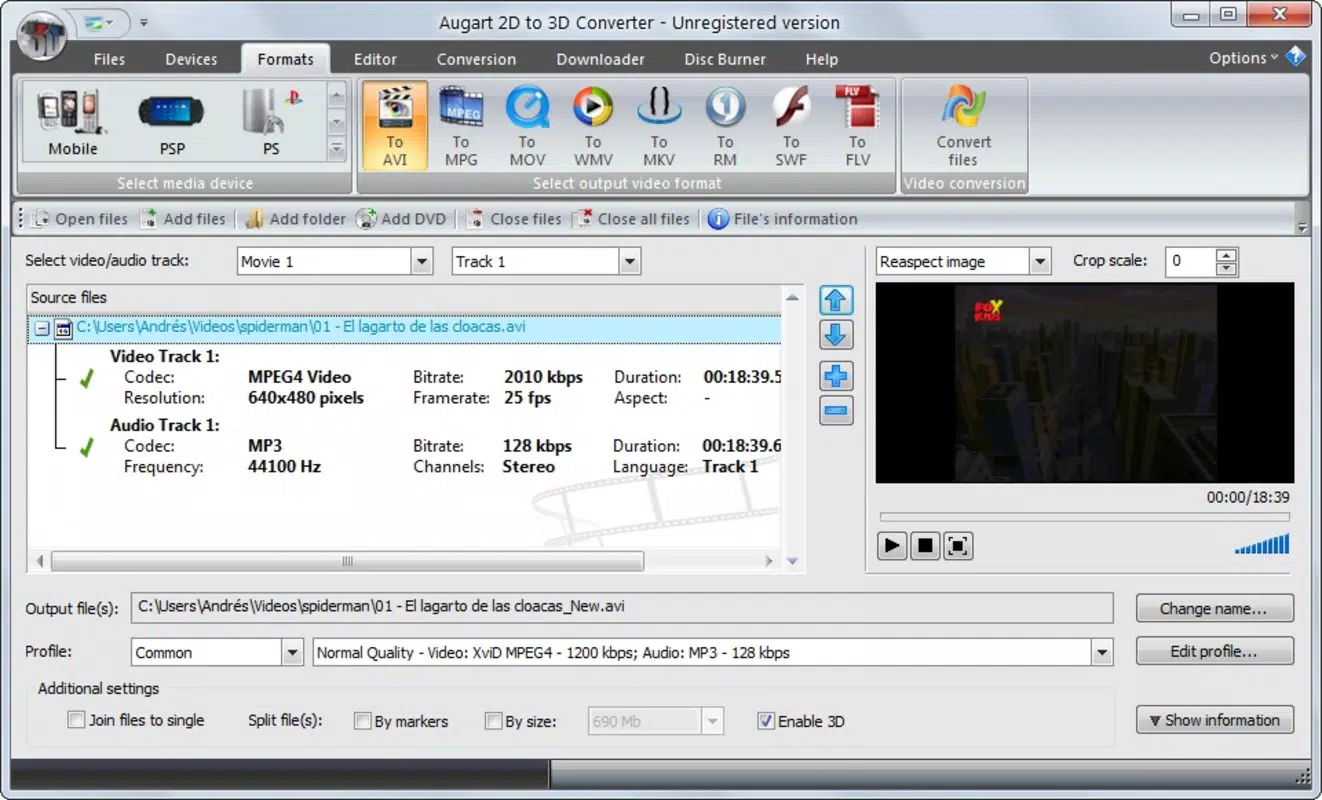
- Video Conversion Across Formats: Supports conversion between AVI, MOV, MPEG, MKV, FLV, and other common formats. This allows seamless adaptation of videos for playback on a variety of devices, including iPhones, Blackberries, and gaming consoles.
- Integrated Video Editing Tools: Enables users to trim unwanted sections, cut clips, and extract audio directly within the app. This functionality reduces dependency on third-party editing software and streamlines workflow.
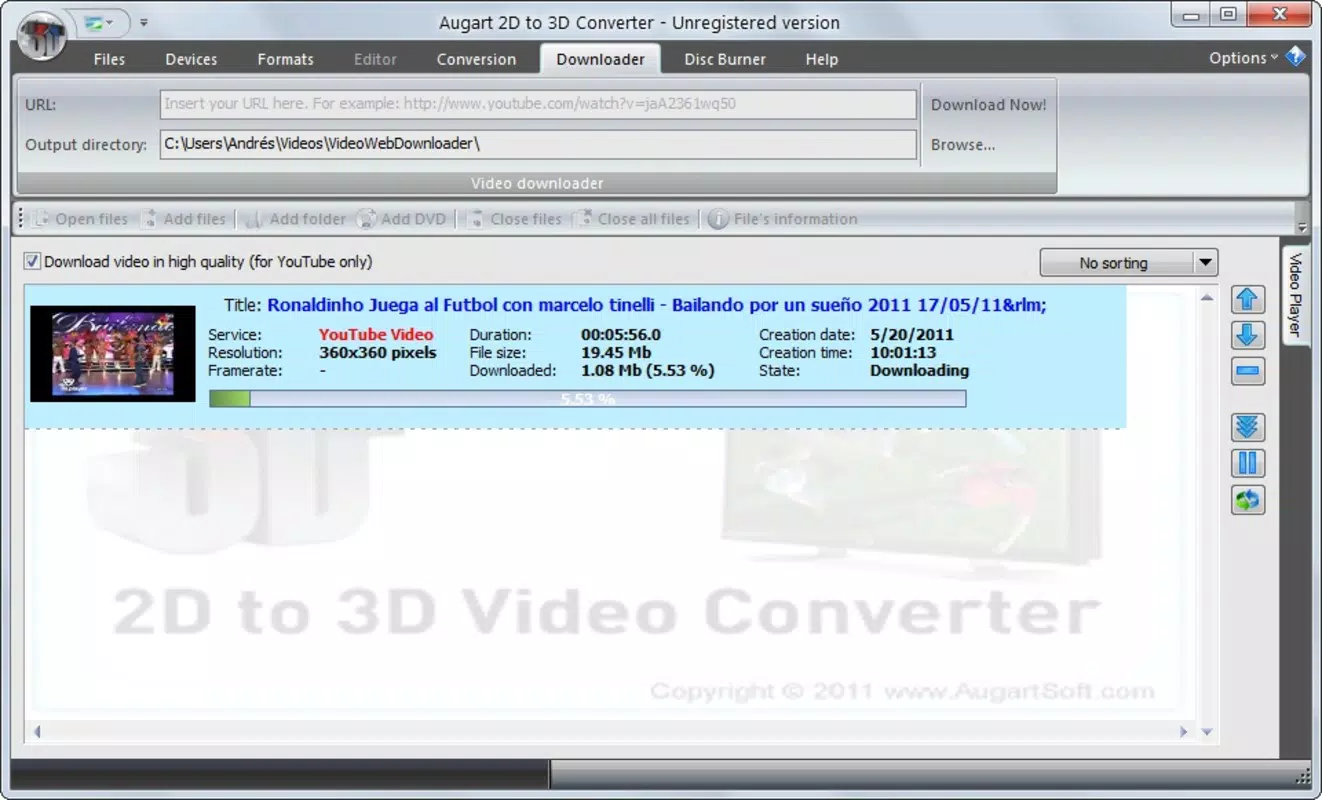
- Streaming Video Downloader: Allows users to paste URLs from streaming websites and download videos in either high-definition or low-definition quality. This feature supports flexible storage and quality trade-offs based on user preferences.
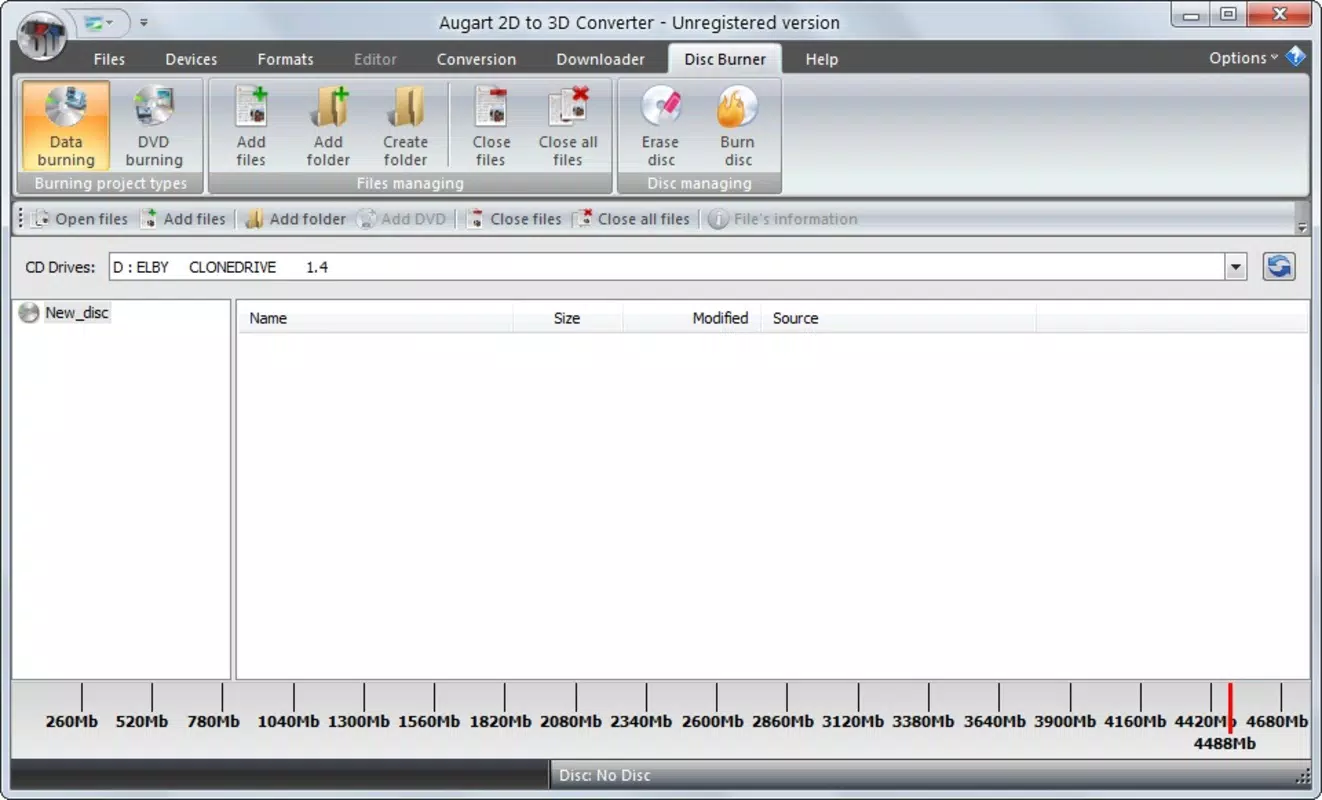
- Disc Ripping Capabilities: Offers tools to create custom data or video discs, facilitating media backups or compilation disc creation. This functionality is ideal for users preserving content from physical media.
- User-Friendly Interface: Designed with intuitive navigation, the app simplifies complex tasks like conversion, editing, and downloading. Even users with minimal technical experience can perform multimedia operations efficiently.
For example, a user preparing a video for a family gathering could use 3D Converter to extract a segment from a longer clip, convert it to a mobile-friendly format, and burn it to a disc—all without switching between apps. Similarly, someone archiving old DVDs could rip content directly into digital files for long-term storage. These real-world use cases highlight the app’s practical value as a multi-purpose media utility.
Interface, UX & Performance
The user interface of 3D Converter is structured to prioritize accessibility and workflow efficiency. With a clean layout and straightforward navigation, users can quickly access conversion, editing, downloading, and disc ripping tools. The app’s design emphasizes functionality over visual flair, focusing on usability for core tasks.
Navigation is linear and intuitive, guiding users through each step of a process—whether converting a file, trimming a video, or downloading content. The absence of cluttered menus enhances the overall user experience, particularly for beginners. Although the developer did not list formal performance metrics, the app’s lightweight size of 2.4 MB suggests optimized resource usage.
Performance across device categories appears to be consistent, given the app’s minimal footprint and long availability. Responsiveness is maintained during basic operations such as format conversion and file trimming. Stability is likely preserved through years of updates, though specific details on crash rates or processing speed were not disclosed. Users can expect smooth operation on mid-range and older Android devices, making it a viable option for legacy hardware.
Platform Compatibility & Technical Requirements
3D Converter is available exclusively on the Android platform. The app is compatible with Android devices running the version specified in its metadata, though the developer did not specify minimum OS requirements. This lack of detail means users should exercise caution when installing on older or newer systems.
The app’s file size is 2.4 MB, indicating a lightweight footprint that does not strain device storage. This small size contributes to faster download and installation times, which is beneficial for users with limited bandwidth or storage capacity. The app is offered as a free download, making it accessible to a broad audience without financial barriers.
Compatibility information was not fully disclosed. Users are advised to verify system requirements on the official distribution channel before installation. The absence of version-specific compatibility details limits the ability to assess support for modern Android features such as enhanced media codecs or background processing.
Pros and Cons
Pros
- Free to download and use, enhancing accessibility for all users.
- Supports a wide range of video formats for conversion and playback compatibility.
- Offers integrated editing tools for trimming and audio extraction.
- Includes a built-in streaming video downloader for on-the-go content capture.
- Provides disc ripping functionality for media backup and compilation.
- Lightweight size of 2.4 MB ensures minimal storage impact.
Cons
- Specific system requirements were not listed, limiting compatibility clarity.
- Developer did not provide details on performance metrics or processing speed.
- Interface may appear outdated compared to modern Android apps.
- Limited information on update frequency or long-term maintenance.
- Compatibility with newer Android versions is uncertain due to lack of specification.
FAQ
Is 3D Converter safe to download and use?
The app is available as a free download, but users should only install it from trusted sources to ensure security and avoid potential malware.
Can I use 3D Converter on iOS devices?
Currently, the app is only available for Android. No iOS version has been released or confirmed by the developer.
Does 3D Converter require internet access?
Yes, internet access is required for downloading streaming videos and for certain conversion processes that rely on online resources.
How often is 3D Converter updated?
The developer did not disclose update frequency. Users should check the official distribution channel for the latest version.
What types of files can I convert with 3D Converter?
The app supports conversion between AVI, MOV, MPEG, MKV, FLV, and other common video formats, ensuring broad compatibility across devices.
Final Thoughts + CTA
3D Converter stands out as a durable, multifunctional utility in the Android productivity space. Despite its age and minimal modern design updates, it continues to deliver core functionality that remains relevant for users managing video files, downloading online content, and backing up media. Its ability to handle conversion, editing, downloading, and disc ripping in one lightweight package offers significant convenience.
While the lack of detailed technical specifications and modern interface polish may deter some users, the app’s free availability and broad feature set make it a compelling choice for those seeking a no-frills multimedia toolkit. It is especially beneficial for individuals with older devices or limited storage who need reliable tools without the overhead of bloated apps.
For anyone looking to simplify their media workflow without spending a dime, 3D Converter remains a viable and practical solution. Download 3D Converter now and take control of your multimedia experience with a trusted, all-in-one utility.


